📆 Day plans and brain plates 🤯


In our data science team, we recently started having fortnightly ‘side-quests and support’ meetings. RD The whole team is invited, and the blurb that goes along with the invite is: “This meeting is a chance for the team to get together informally and discuss their work, get help unsticking tricky elements, show off cool things they’ve done, air worries and find solutions. We all benefit from having some idea of the work of others, can spot areas of duplication and pick up on the use of skills we want to acquire. If you’re picked to present, use your time how you like - tell us about what’s bothering you, what you’re proud of, issues with how the team are working, the wider Unit, or anything you’d like us to know.”
We’ve grown to really value this hour, and lots of interesting ideas and positivity fall out of them. We try to avoid talking about BAU work, so that we can have a little fun and celebrate each other’s’ unique flavours of nerdery.
Some recent highlights have been an app that was built to find optimal walking routes between pubs and landmarks, an auto-generated personal blog website with great photos and a notebook to analyse football statistics.
Recently, one of the topics we discussed was how we each maintain a healthy ‘brain plate’ – meaning how we ensure we are not relying on memory to ensure we do all the things we need/want to.
Our team is a mix of coders, managers, designers and consultants, and we all approach similar problems differently. This blog is a set of mini interviews with our lovely team members to capture the different ways we manage our working lives.
 Eirini: AI Agent Herder
Eirini: AI Agent Herder
How do I manage my work?
To-do list and notes 📋
Capitalising on the flexibility our team offers and the encouragement to explore new ideas and technologies, I’ve written two lightweight CLI tools to help me keep organised. Poke is a WIP attempt to bridge the gap of GitHub’s more lightweight project management capabilities with some of the powerful constructs Azure DevOps Boards offer. Given that Poke requires a bit more TLC to serve my intended purpose, I’ve opted for a more lightweight CLI solution in the meantime: Task. Both projects, organisation aside, have acted as a “wet lab” that allow experimentation with Deno with TypeScript) and Rust - in search of a single, compact, batteries-included language outside the Python realm, that’ll be my hammer to hit most nails. More on that another time.
Task allows me to create a to-do list and notes in a single, lightweight, easily backed up Markdown file. It has worked well for me so far. Poke, using JSON for maintaining hierarchy, will allow me to keep local notes under GitHub Issues, similar to Tasks created under Azure DevOps Board work items.
Emails 📩
I use Outlook (classic), as a more lightweight email client. It’s a feature-rich tool, sometimes unnecessarily rich. Thus, I simply keep an Outlook window on one side of my screen, for email and meeting notifications. GitHub notifications over email have felt overwhelming at times, therefore I set up a list of filters to redirect GitHub notifications accordingly. This system has had varying levels of success, hence I’ve reverted to tweaking my GitHub notifications and simply receive notification emails in my inbox.
At the end of each day, I strive to get most pending emails addressed or at least lined up for the next day if they’re not urgent.
GitHub
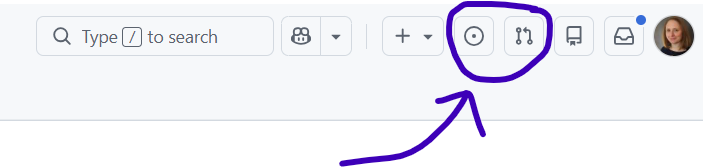
I always have a web browser window open with two or three GitHub tabs to help me have an overview of my current workload. One tab with my GitHub issues, another tab containing PRs, a third tab listing my Notifications. Filters are very useful since they allow me to categorise and organise my work accordingly. They help reduce the noise and maintain my focus on tasks requiring my attention.
Solveit
My daily driver and AI harness of choice is Solveit; a fusion between literate programming and agentic AI forming an editable dialogue between the user and the language model. Solveit is my thinking partner, that helps me plan, research, interrogate, dissect and distil knowledge. It also helps me examine, improve, fix and architect new code. Local AI is also very helpful, running on my own machine to use as a private free AI API or for agentic AI workflows with OpenCode (for the time being, while experimenting with other harnesses 🚧).
Other tools
As much as I enjoy a good pen or pencil and a nice notebook, I do not use pen and paper - or other tools outside the minimal list above. This is by choice, as experience has shown that maintaining a minimal and focused toolbox helps me keep reasonably organised. It also allows me to leverage a wider range of computers (older, with constrained resources), as most of my tools are lightweight, easy to install and free. Finally, I favour plain markdown or JSON - if hierarchy is required - as they are portable and universal formats. The majority of my time is spent in a terminal window - aligning with the team’s nerdery - and my web browser running Solveit and GitHub tabs.
 Matt: yak-shaver
As a developer and scrummaster, I record tasks as GitHub issues and track them through our GitHub project board. I label issues by type and priority and add them to release milestones. In the comments I write up-to-date notes, tag team members and record any agreements. This way, all the information is on the task.
At the start of the day I might write down a few to-dos with pen and paper. Sometimes I’ll scribble ephemeral notes as I work, but my notepad is disposable. Meaningful information goes on GitHub where it belongs. Anyway, the notepad can’t be a long-term store because I can barely read my handwriting.
I wrote a lightweight Python-powered command-line interface called jot to log time-stamped notes in a text file. During my work day I go frequently to a terminal and type something like jot "circled-back on paradigm-shifting". This isn’t about note-taking; I use the entries to help reflect on what I’ve been up to. It’s especially useful for capturing ‘softer skills’ or ‘glue work’ that often goes undervalued.
 Chris: Head of data science
How do I manage my work knowledge and tasks?
I would say largely that I don’t manage my work knowledge and tasks. I’m head of a decently sized data science team (~10 people) and my remit across the unit and team includes information governance, delivery, product, a business critical model, and more besides.
For a long time I thought that I couldn’t do the kind of job that I do now because I thought that management (not leadership- management) was all about being incredibly organised and having lots of checklists and plans. I’m just not that person so I counted myself out. I’ve since learned that the task of a team leader is to create a team and systems that are responsive, organised, and get the job done. If you can do that with plans and checklists, great, but if not you have options, or I certainly did.
Having said all that, what do I do to organise myself. My principal job as it is for many people is to clear out my inbox of all the pressing things in it. My priorities shift a lot and what’s important on a Monday morning can be forgotten by Thursday afternoon. That’s just how it is in my job. I try to help the team to stick to what they’re doing and not get tossed around by events but if I worked like that there would be lots of (rightly) angry people in my inbox. And of course a decent chunk of my time is spent in meetings. I try to go where I’m needed and not go where I’m not needed but sometimes it can feel like there is a lot to keep on top of.
I use Todoist to keep track of the things that I actually do apart from clearing out my inbox and going to meetings. The team tag me on GitHub and I do try to keep up with it but because it isn’t my main place to look GitHub notifications can fall through the cracks. The team know I always appreciate a nudge on stuff they’re waiting for and I try to get to things when or before people nudge me.
I’m a great believer in the power of pen and paper to help one think and I do do that when I’m doing something knotty, but honestly these days I rarely am. People bring me stuff, I try to say something helpful about it, and they go on their way. My team have all the brilliant insights and do the important work. I just offer prompts and questions to help us through when things seem uncertain.
 Claire: Lead Data Scientist
How do I store my meeting notes and thoughts/ideas? 🧠
Quarto book
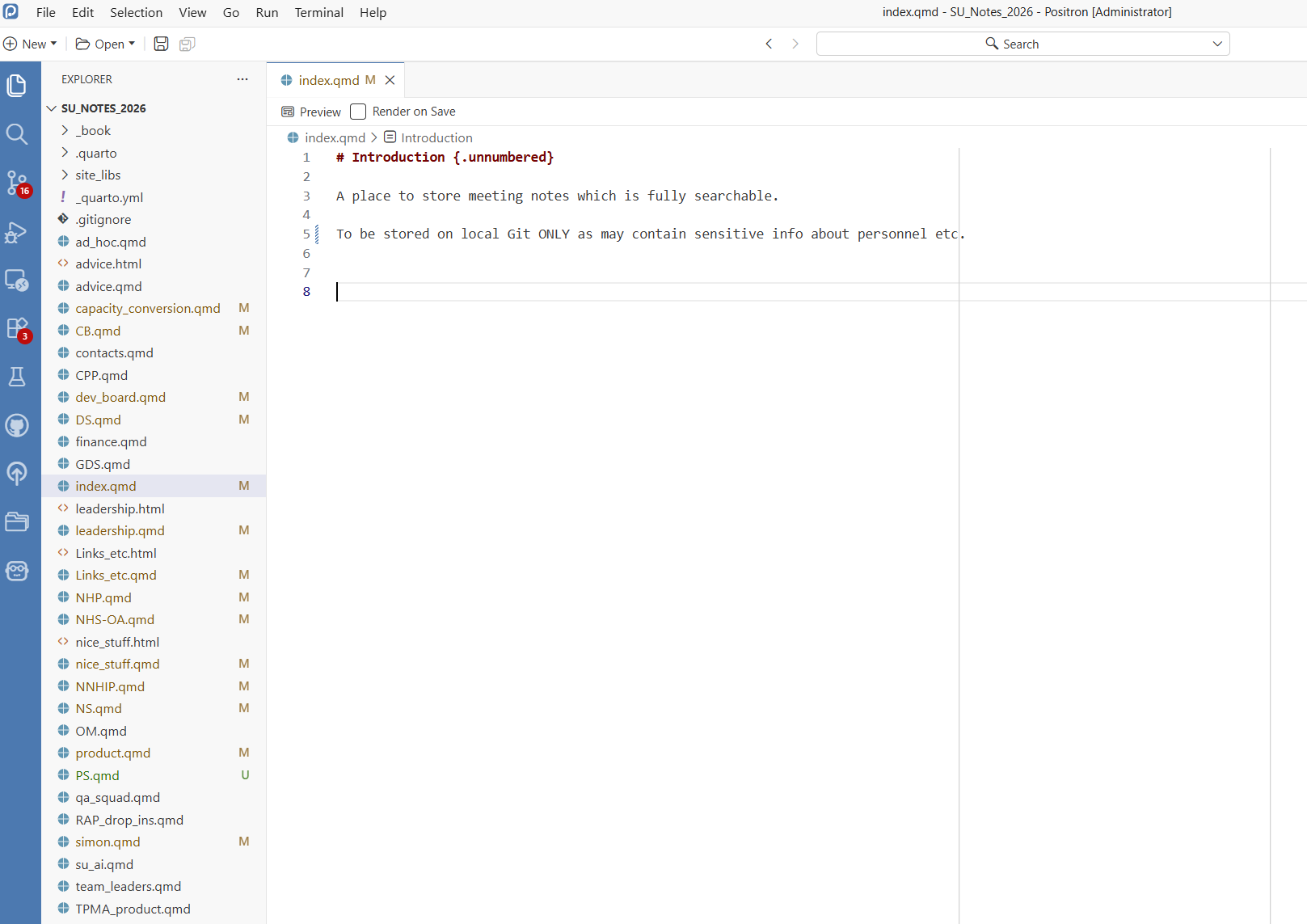
I use a Quarto book to store all my meeting notes and thoughts. It’s tracked with git locally for version control, but because it includes line management notes, it can’t be safely deployed. I separate topics into different markdown files. Each entry in a file is started with the date (in ‘yyyy-mm-dd’ format) as a heading. The whole thing is searchable at once (using the keyboard shortcut of CTRL>Shift>F). I also record bits of positive feedback for myself to go back to when I need a boost🥰, and a separate page for useful little hints and tips for myself. I write into this book during meetings, but any actions are immediately added to my OneNote list.
Helpers
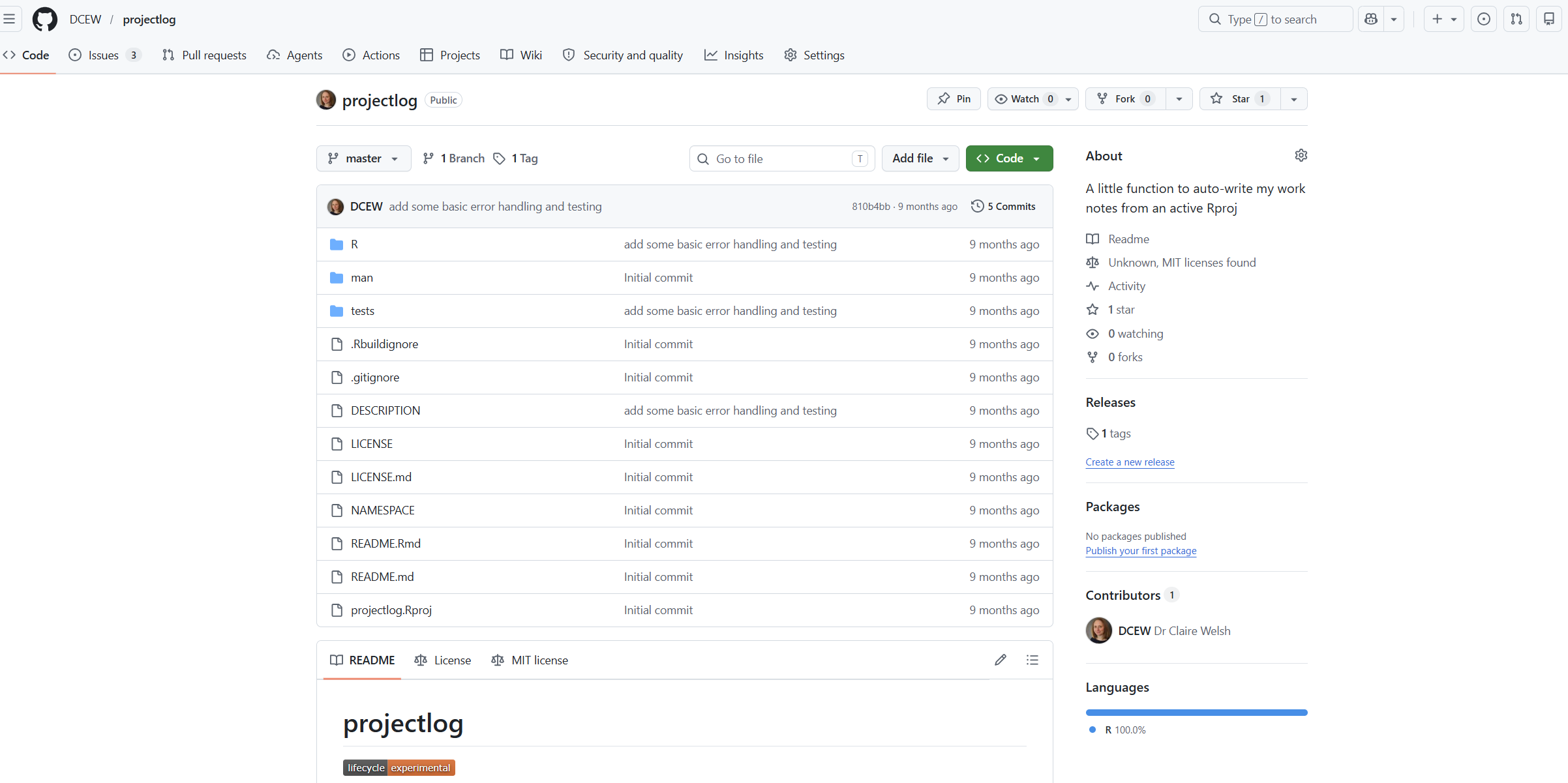
I did write a little basic R package 📦 to allow me to write notes into my Quarto book straight from an R project, the code is available here. I used it for a little while but found it less useful than I’d thought, since I can just type directly into Positron which I have open all day.
What about my to-do lists?
OneNote
For to do lists – it allows a quick bullet point view of what I need to spend my time on. I delete the row when the work is done ✅.
Emails
I use this as a to-do list also in a sense, because once I’ve taken the relevant action from an email, I delete or file it, so that my inbox is always those that still need attention. I aim to get to zero-inbox at the end of each week! 🥅
GitHub
Daily I check on the PRs that need review, and I frequently look through my list of issues. I make use of the filtering options to narrow down the issues list to those relevant to certain projects.
Paper!
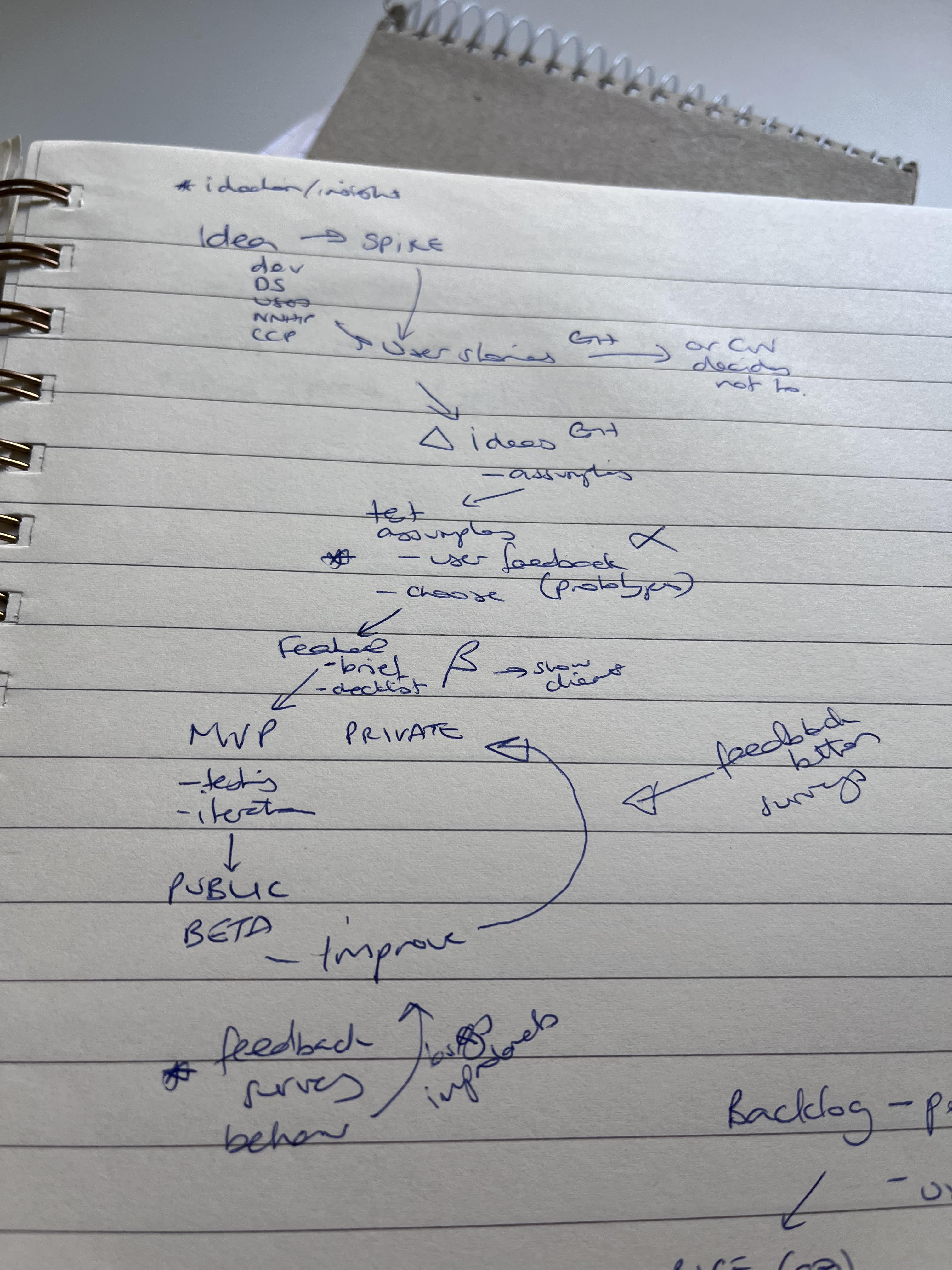
When trying to conceptualise something complicated, or design something, you can’t beat scribbling on paper ✍️. I try to minimise the amount of paper I use, and transfer designs etc to something electronic quickly (so I can’t destroy it with coffee stains as easily ☕). Its also quicker for me than using any drawing software.